
Website Redesign Without Losing Rankings
Nobody plans a website redesign without losing rankings. They plan a website that looks better, and assume the rest takes care of itself.
The new site launches on a Tuesday. Everybody agrees it looks far better than the old one.
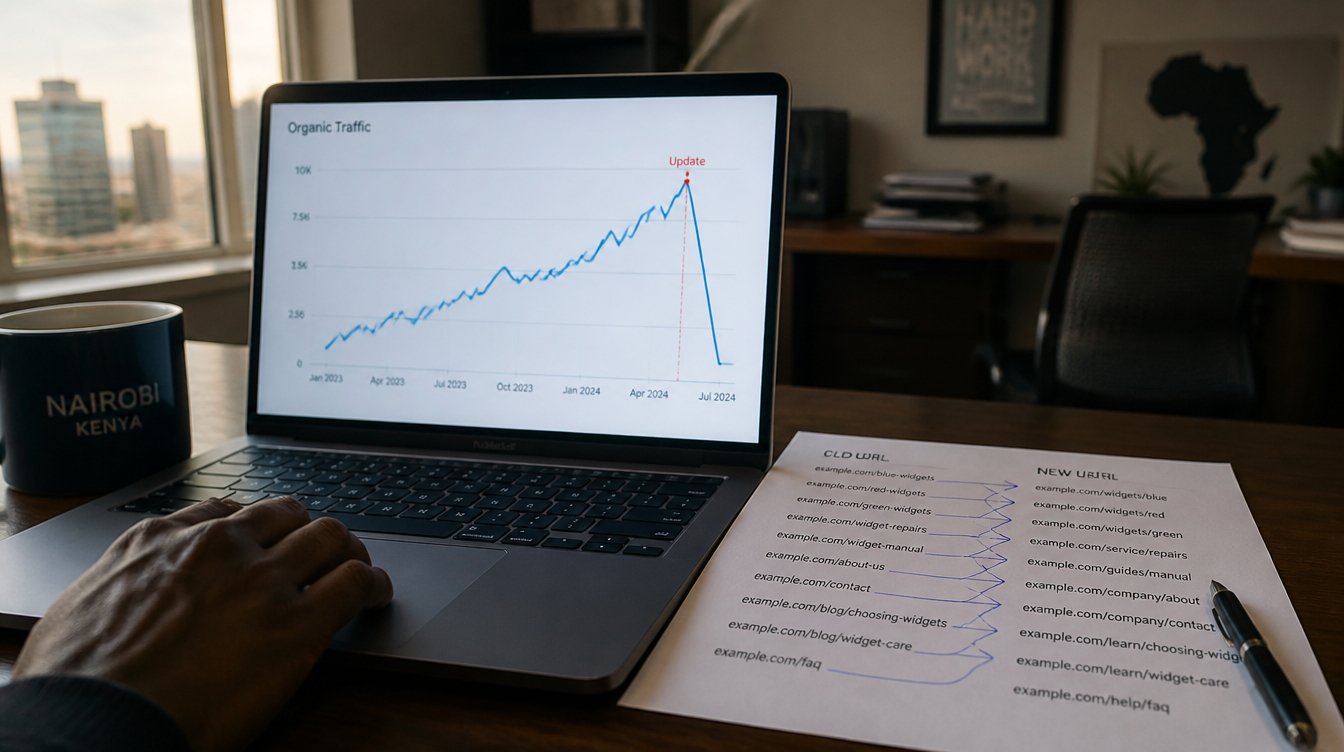
Two weeks later, organic traffic has fallen by sixty percent. Pages that used to rank on the first page now appear nowhere. The phone has gone quiet. Nobody can explain what happened, because on the surface nothing broke.
A website redesign without losing rankings is entirely achievable. It simply requires work that most redesign projects skip, because that work is invisible and nobody asks for it.
This guide covers what actually causes the collapse, and how to prevent it.
Why Redesigns Destroy Traffic
Google does not rank your website. It ranks individual pages, each at a specific address.
When you rebuild, those addresses often change. A page that lived at yoursite.co.ke/services/tax-consulting now sits at yoursite.co.ke/what-we-do. To Google, the old page has vanished and a brand new page has appeared with no history whatsoever.
Every year of accumulated authority stays attached to an address that no longer exists.
Five things commonly go wrong at once.
URLs change without anyone mapping the old ones to the new ones.
Pages get deleted during the tidy up, including pages that were quietly ranking well.
Content gets shortened because the new design looks cleaner with less text, so the words Google was ranking disappear.
Page titles and headings get rewritten purely for style, losing the terms people actually search.
The site gets slower, because a heavier design with larger images undoes years of performance work.
Any one of these hurts. Together they are why a website redesign without losing rankings needs planning rather than optimism.
The Mistake That Wipes Out Everything
Before the detailed work, one item deserves its own section, because it causes the most catastrophic failures we see.
The staging site was blocked from search engines, and nobody removed the block at launch.
While a new site is being built, developers routinely tell search engines to ignore it. That is correct practice. However, if the noindex tag or the robots.txt block survives into the live site, Google will obediently drop every page you have.
Traffic does not decline gradually in that scenario. It disappears.
Check this on launch day, then check it again the following morning. Our guide to crawlability and indexing explains what to look for.
Before You Touch Anything: Take Inventory
A website redesign without losing rankings begins with a record of what you currently have. Therefore start here, before any design work begins.
Export your current URLs. Crawl the existing site and save a complete list of every page address.
Export your Search Console data. Take at least twelve months of Queries and Pages. This tells you which pages earn traffic and which search terms bring it.
Rank your pages by value. Sort by clicks and impressions. The top twenty pages usually carry most of your organic traffic, so these become your protected list.
Note your current page titles and headings. You will want to preserve the wording that already works.
Record your baseline. Monthly organic sessions, top landing pages, average position. Without a baseline you cannot tell whether the redesign helped or hurt.
List your backlinks if you have access to a tool that shows them. Pages other sites link to are worth protecting even when their traffic looks modest.
Build the Redirect Map
This document decides whether you achieve a website redesign without losing rankings, and it is usually the one nobody produces.
A redirect map is a simple two column list. Old address on the left, new address on the right. Every page on the old site needs a row.
Four rules govern it.
Use 301 redirects, which tell Google the move is permanent and pass authority to the new address. A 302 signals a temporary move and passes far less.
Map one to one wherever possible. Send each old page to its closest equivalent, rather than sending everything to the homepage. Bulk redirects to the homepage are treated as soft errors and pass almost nothing.
Keep URLs identical where you can. The safest redirect is the one you never need, so change addresses only where there is a real reason.
Redirect once, not in chains. If page A points to B and B points to C, fix A so it points straight to C.
Build this map before launch. Testing it afterwards, page by page, is how projects lose a fortnight.
Decide What to Keep
Redesigns often begin with an instinct to cut. That instinct needs supervision.
Keep pages that rank, even when they look dated. A page earning steady traffic is an asset, whatever you think of its design.
Keep the words on your best pages. Rewrite the presentation freely, but leave the substance alone. Content Google has been ranking for two years should not be reduced to three sentences because the new layout looks tidier.
Keep page titles that work. If a title earns clicks, adjust the styling and leave the terms in place.
Keep your internal links. New designs frequently drop the contextual links inside body copy. Those links tell Google how your pages relate to each other.
Merge rather than delete where two pages overlap. Combine the content into the stronger page, then redirect the weaker address to it.
Our post on planning a website redesign properly covers the wider process, while redesign versus rebuild helps you decide how far to go.
Launch Day Checklist
A website redesign without losing rankings survives or fails on launch day. Run through every item as the new site goes live.
- Remove the noindex tag and confirm robots.txt allows crawling
- Confirm every redirect fires correctly, especially for your top twenty pages
- Submit the new XML sitemap in Search Console
- Confirm analytics tracking is installed on the new site
- Test every form and confirm submissions arrive
- Check the site on a phone, on mobile data
- Confirm SSL works across every page, including redirected ones
- Verify page speed has not regressed against your baseline
Then check the same list again the following morning, because launch day fixes sometimes get overwritten by a final deployment.
The First Thirty Days
Expect some movement. A short dip in the fortnight after launch is common while Google recrawls and reassesses, so resist the urge to change everything in week one.
Watch Search Console for crawl errors. A rising 404 count means redirects are missing.
Compare landing pages against your baseline. Individual pages losing position point to specific problems rather than general fluctuation.
Fix 404s as they appear. Every one represents a visitor or a search engine hitting a dead end.
Leave the structure alone for a month. Constant changes make it impossible to diagnose what worked.
If traffic has not recovered after four to six weeks, something structural is wrong. Usually it is redirects, indexing, or deleted content.
Frequently Asked Questions
How long does a website redesign without losing rankings take to recover? Most sites see normal levels return within two to six weeks when redirects and indexing are handled correctly. A drop persisting beyond that indicates a fixable problem rather than a settling period.
Can I keep my old URLs? Yes, and you generally should. Keeping addresses unchanged removes most of the risk from a migration entirely.
What if my old site had terrible URLs? Change them, but map every single one with a 301 redirect. Poor addresses are worth fixing, provided the fix carries the history across.
Do I need to tell Google about the redesign? Submit your new sitemap in Search Console. If your domain is changing, use the Change of Address tool as well.
Will a faster, better designed site rank higher? Often yes, over time. Speed and usability both help. However, those gains only appear once the migration itself has been handled properly.
Should I redesign at all if my rankings are good? Sometimes the honest answer is no. If the site converts and ranks, targeted fixes usually beat a rebuild. Read website not getting enquiries before committing to a full redesign.
Redesign Without the Cliff Edge
A new website should improve your business rather than reset it. Yet most traffic collapses trace back to the same three causes: missing redirects, an indexing block left in place, and content quietly deleted during the tidy up.
All three are preventable in an afternoon of planning.
At Africa Web Experts we handle migrations with the redirect map built before launch rather than after the panic. From KES 65,000, live in seventy two hours, on your own domain with your own login.
If your traffic has already fallen after a redesign, that is usually recoverable, and the sooner it is diagnosed the better.