
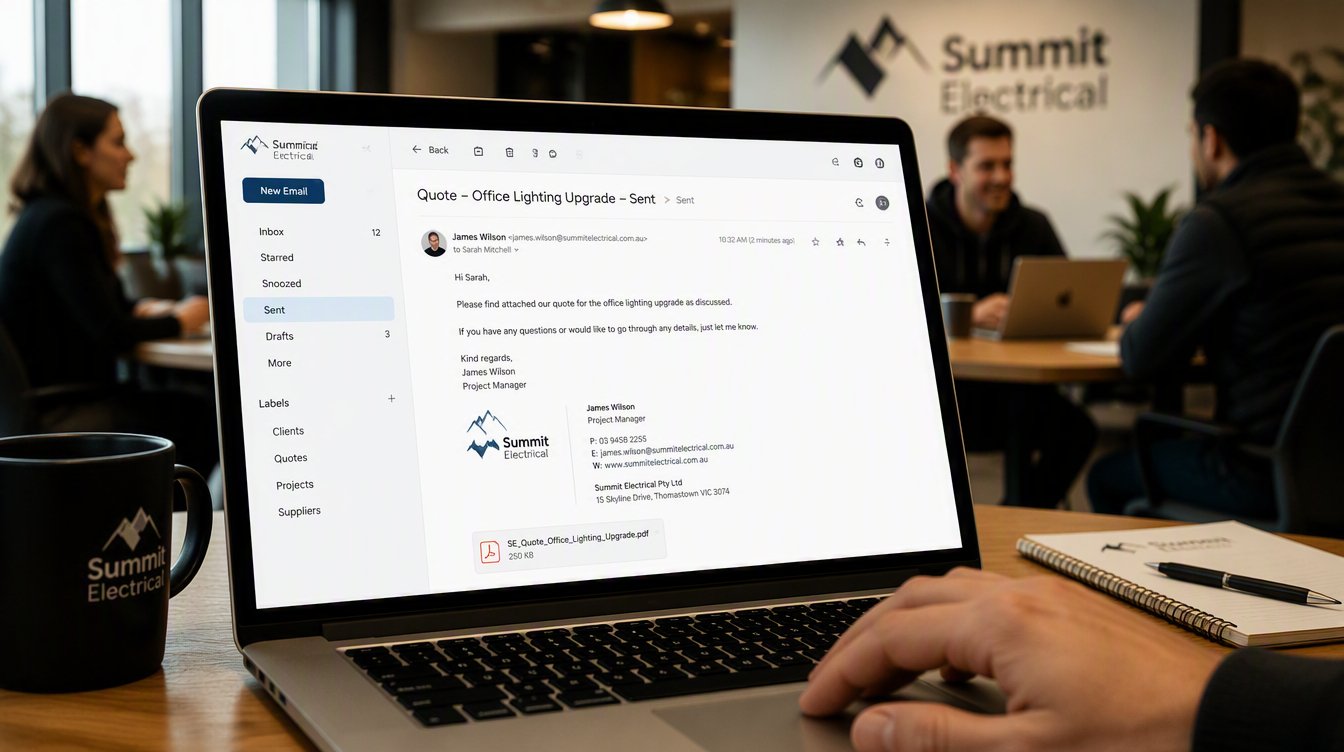
Business Email on Your Own Domain
Two consultants quote for the same job on the same afternoon.
The first email arrives from wanjikuconsulting2019@gmail.com. The second arrives from wanjiku@wanjikuconsulting.co.ke. Both attach the same proposal. Both offer the same price.
The client will not consciously weigh the addresses. However, one of those emails reads as a business, and the other reads as somebody who might be a business.
A business email on your own domain costs very little and takes an afternoon to set up. Almost nothing else you can buy for the money changes perception that quickly.
What Your Address Actually Signals
Free email accounts are not unprofessional in themselves. Plenty of capable people run entire careers from one. Yet at the exact moment somebody is deciding whether to trust you with money, the address does quiet work.
It suggests permanence, because a domain costs money every year and a free account does not.
It suggests you own something. Somebody with wanjiku@wanjikuconsulting.co.ke evidently controls wanjikuconsulting.co.ke, which means there is probably a website behind it.
It suggests scale, since firstname@business tells a client that other addresses likely exist.
Above all, it removes a small doubt at a moment when doubts are expensive. Our post on trust signals every website needs covers the wider pattern, and your email address belongs in that set.
There is also a practical dimension. Many corporate and institutional procurement processes in Kenya will not accept a supplier operating from a free account. Some tender documents state it outright. Consequently the address stops being a matter of taste and becomes a matter of eligibility.
What a Business Email on Your Own Domain Actually Is
Once you own a domain, you can create addresses at that domain. Owning wanjikuconsulting.co.ke means you can create info@, wanjiku@, accounts@, and as many others as you need.
The domain is the asset. Email is one of the things it lets you do, and the website is another.
If you have not yet sorted out ownership, start there instead. Our guide on who actually owns your website explains why the domain must be registered in your name before anything else matters.
Three Ways to Set It Up
Through your web host. Most Kenyan hosting packages bundle email at no extra cost. Cheapest by far, and adequate for low volume. However, host mailboxes are often small, the webmail interface tends to be dated, and deliverability varies considerably between providers.
Through a dedicated email provider. Zoho Mail offers a free tier for a small number of users on a custom domain, with paid plans for more. Google Workspace and Microsoft 365 both run at roughly a few dollars per user each month. These bring proper storage, reliable delivery, calendars, and the interfaces your team already knows.
Through your host for the address, forwarded elsewhere. Common, cheap, and the source of the most frequent mistake in this article. More on that shortly.
Confirm current pricing directly with each provider, since plans and free tiers change regularly.
The Invisible Problem: Your Emails Go to Spam
Here is what nobody explains when they sell you the address.
Buying a domain and creating a mailbox does not make your email trusted. Receiving servers need proof that mail claiming to come from your domain genuinely came from you. Without that proof, your carefully written quote lands in a spam folder, and you never find out.
Three records provide that proof. All three live in your domain’s DNS settings.
SPF lists which servers are permitted to send email using your domain. Any message from elsewhere becomes suspicious.
DKIM adds a cryptographic signature to each message, so the receiving server can confirm nothing was altered in transit.
DMARC tells receiving servers what to do when a message fails the first two checks, and it can report back to you when somebody attempts to impersonate your domain.
Since 2024, Google and Yahoo have both required these records from bulk senders. Meanwhile providers across the board have grown steadily stricter with everybody else. Therefore a business email on your own domain without these records is not merely unprotected, it is actively less likely to arrive than the free account you replaced.
Your host or email provider will document exactly which values to add. Whoever manages your DNS can apply them in about fifteen minutes.
The Mistake Almost Everybody Makes
Somebody sets up info@theirbusiness.co.ke, forwards it to their personal Gmail so they see everything in one place, and then replies from Gmail out of habit.
The client receives a reply from a free account.
All the work has been undone, and worse, the conversation now looks slightly odd. The address on the website says one thing, and the address replying says another. Some clients read that as a sign the business is not quite what it presented itself to be.
If you forward mail, configure your Gmail to send as your business address as well. Otherwise use the proper mailbox directly.
Set It Up in This Order
Work through these in sequence, because each step depends on the one before it.
- Confirm the domain is registered in your name, with your email as administrative contact.
- Choose where mail will live, whether that is your host, Zoho, Google Workspace, or Microsoft.
- Point the mail records for your domain to that provider.
- Add SPF, DKIM, and DMARC records exactly as your provider specifies.
- Create your addresses.
- Configure sending, so replies leave from the business address rather than a personal one.
- Send test messages to a Gmail account, a Yahoo account, and an Outlook account. Then check the spam folder in each.
- Update your email signature, website, invoices, social profiles, and business cards.
Step seven is the one people skip. Testing across several providers takes ten minutes and reveals problems you would otherwise discover months later, after losing work you never knew you were losing.
Which Addresses to Create
Keep it small at first. Every extra mailbox is another inbox somebody must actually read.
yourname@ for anything personal, quotes, and client relationships. People prefer replying to a human.
info@ or hello@ for general enquiries and your website contact form.
accounts@ once invoicing volume justifies it.
Avoid creating addresses that nobody monitors. An unanswered info@ is worse than no info@ at all, because the client assumes you received their message and chose not to reply.
One more consideration for anyone with staff. Mailboxes should belong to the business rather than to individuals. When somebody leaves, you need to keep the correspondence and reassign the address, which is only possible if the account was set up under a business plan you administer.
Frequently Asked Questions
How much does a business email on your own domain cost in Kenya? Often nothing beyond your existing hosting, since many Kenyan packages include mailboxes. Dedicated providers start free for very small teams and rise to a few dollars per user monthly. Confirm current rates directly, because plans change.
Do I need a website to have a business email on my own domain? No. You need a domain, and a domain costs roughly KES 950 to KES 3,000 a year. The website can follow later.
Why do my emails keep going to spam? Usually missing or incorrect SPF, DKIM, and DMARC records. Occasionally a shared server with a poor reputation is responsible. Check the records first.
Can I keep using Gmail? Yes, provided you connect it properly so messages send from your business address. Simply forwarding mail into Gmail and replying from there defeats the purpose entirely.
Is co.ke or com better for email? Neither performs differently technically. Choose whichever matches your market, and secure both if the brand matters to you.
What happens to my email if my domain expires? It stops working. Every address at that domain fails immediately, so diarise your renewal date and send the reminder to somewhere you will actually see it.
Own the Address, Not Just the Business
A business email on your own domain is the cheapest credibility you can buy. It takes an afternoon, it costs less than a tank of fuel, and it changes how every quote you send is read.
Get the domain in your name, set the mail records properly, and test before you rely on it.
At Africa Web Experts, the domain is registered to you and handed over on launch day, with email configured and tested rather than left as a note in the handover document. Websites from KES 65,000, live in seventy two hours.